Mixed workforce
 Mixed workforce
Schedule employees, contractors, and flexible workers.
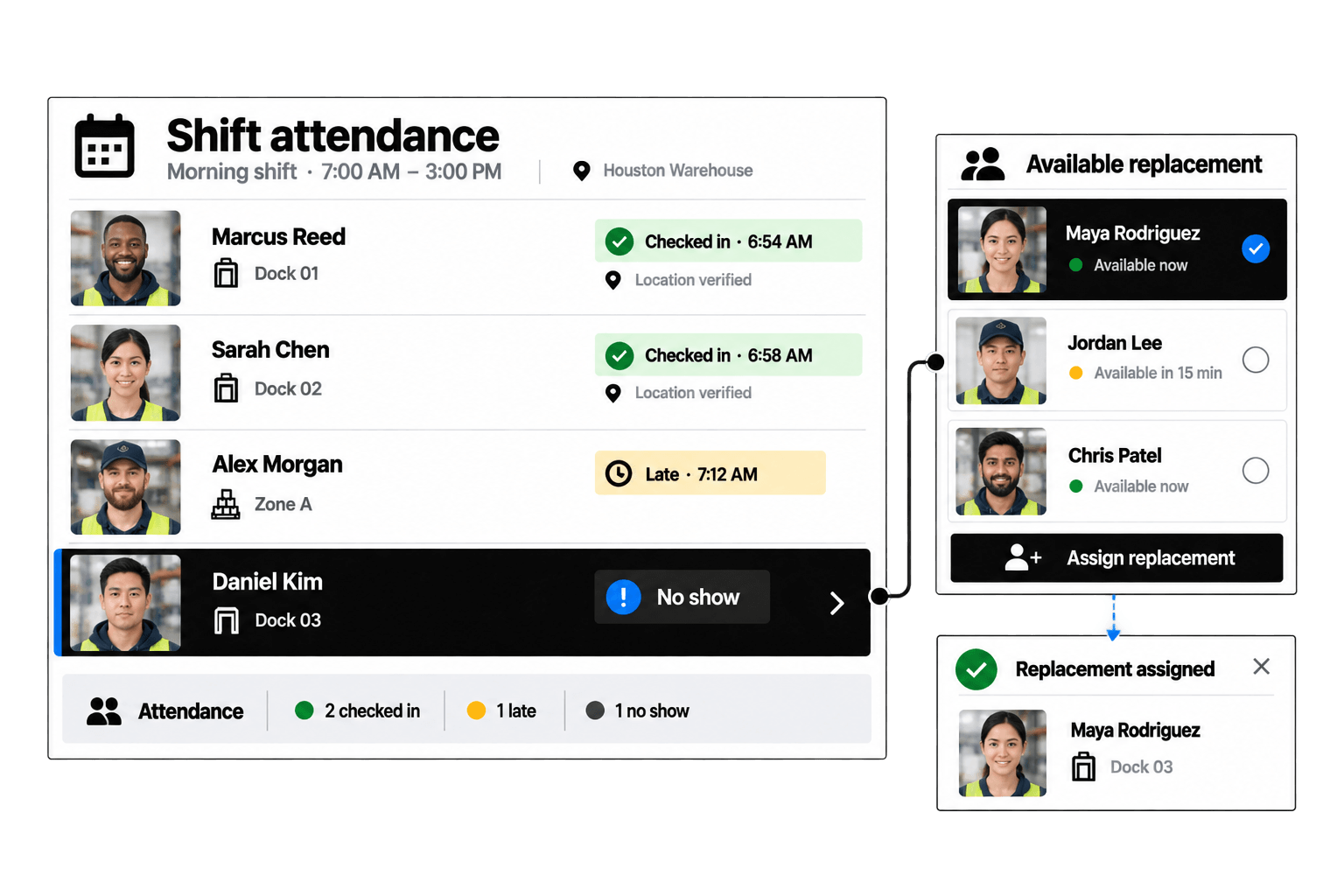
Orchestrate scheduling across employees, contractors, flexible workers, teams, roles, departments, and locations with configurable availability and coverage rules.
Configurable Workforce Orchestration
Coordinate mixed worker populations, availability rules, multi-location coverage, and attendance within workflows designed for complex operations.
Schedule employees, contractors, and flexible workers.
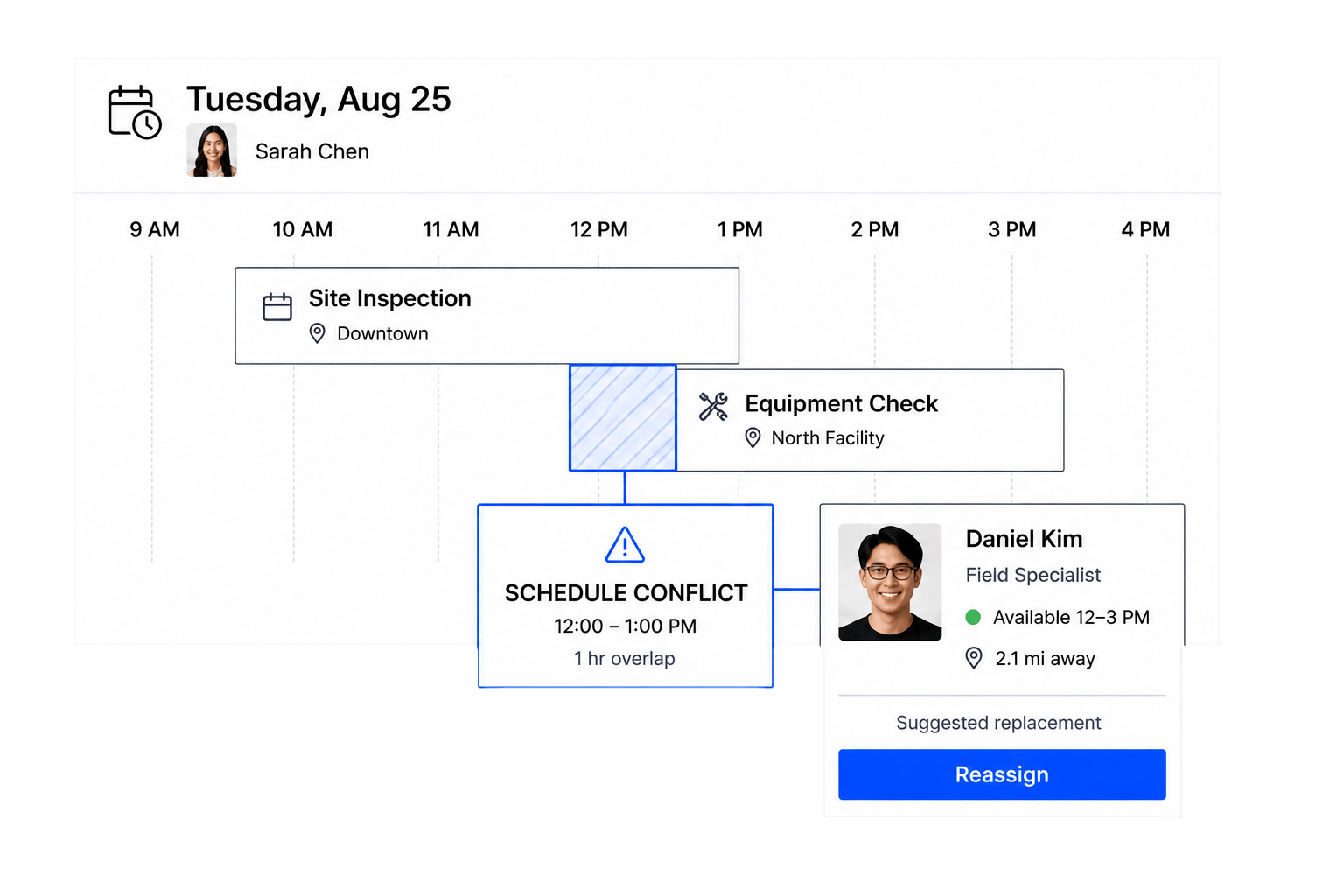
Apply role, time, and eligibility constraints.
Coordinate teams and coverage across sites.
Connect schedules with recorded work and review.
Workforce scheduling software plans and coordinates when and where different worker populations perform work. It connects availability, roles, rules, shifts, assignments, locations, approvals, time, and attendance.
Staff scheduling usually centers on building a roster for a staff group. Workforce scheduling addresses broader operations across employees, contractors, flexible workers, teams, departments, roles, and multiple locations with different rules and permissions.
Organizations with mixed worker types, variable demand, multiple sites, changing availability, open shifts, or layered approval requirements benefit from a configurable workforce scheduler.
Yes. Each worker type can have its own profile fields, permissions, eligibility rules, assignments, and portal actions while managers coordinate coverage in connected workflows.
Workhint can collect availability and combine it with configured role eligibility, location access, shift patterns, conflicts, departments, and approval requirements.
Yes. Open shifts can be routed to a defined worker audience. Workers can respond, and a manager or automated routing step can move the selected person into a confirmed assignment.
Yes. Schedules can be organized by location, department, team, role, or another operational dimension, with permissions and views appropriate to local and central managers.
Yes. New assignments, worker requests, swaps, schedule changes, overtime-related exceptions, or other configured events can route through an approval workflow.
Workhint can surface conflicts against configured availability, overlapping assignments, location, role, or scheduling rules so managers can review them before confirmation.
Yes. Confirmed assignments can connect to clock events, time records, attendance states, exceptions, and manager approvals.
Yes. Location verification can be configured as a signal in clock-in, attendance, or assignment workflows where it fits the organization’s policies and worker experience.
Yes. Employees, contractors, and flexible workers can receive role-appropriate access to availability, open shifts, schedules, assignments, changes, and time records under your branding.
Describe worker types, teams, roles, locations, availability, scheduling constraints, approvals, time rules, and portal needs. Workhint uses AI to configure the initial modular records and workflows, which your team can refine.
 Availability rules
 Multi-location scheduling
 Time & attendance